
Sit the exam knowing you get a second attempt.
One free retake is built in, so a bad exam day costs you time, not another voucher. Includes the official RPS exam voucher (online proctored), LMS training, and iLabs access.
CEH v13 Elite Bundle — $949 (reg. $1,199) · Voucher + training + labs + one free retake
🛡️ Welcome to the Certified Ethical Hacker (CEH) v13 AI Online Lab !
Welcome to the Certified Ethical Hacker (CEH) learning experience.
This lab environment has been carefully designed to provide a practical, structured, and realistic approach to ethical hacking. It includes a variety of operating systems, network configurations, applications, and security scenarios that closely reflect real-world IT environments.
Ethical hacking plays a vital role in modern cybersecurity. Its purpose is to identify, evaluate, and address security vulnerabilities before they can be exploited by malicious attackers.
🎯 What You Will Learn
Throughout the labs, you will work with realistic cybersecurity scenarios and apply ethical hacking techniques to assess and secure systems.
By safely simulating cyberattacks, you will gain a deeper understanding of:
-
🔍 How attackers discover and analyze potential targets
-
🧭 Footprinting, reconnaissance, and information gathering
-
🛠️ Vulnerability assessment and penetration testing
-
⚠️ Exploitation techniques and common attack methods
-
🧱 Security controls, mitigation strategies, and defensive measures
-
📋 Professional testing procedures and reporting practices
This hands-on experience helps bridge the gap between theoretical knowledge and practical application. You will learn not only how attacks work, but also how to anticipate, detect, and defend against them.
Not sure you'll pass first time? The CEH v13 Elite Bundle ($949) includes a free retake — plus official training and iLabs.
💻 Hands-On Tools and Practical Skills
During the course, you will use a wide range of tools and technologies commonly used by ethical hackers, penetration testers, and cybersecurity professionals.
Each lab is structured with clear, step-by-step instructions, allowing you to progressively build your technical skills, practical experience, and confidence.
You will learn how to:
-
🧪 Perform penetration testing activities
-
🔎 Identify and assess security weaknesses
-
⚙️ Use professional ethical hacking tools
-
🧩 Analyze vulnerable systems and applications
-
🔐 Recommend and implement appropriate security measures
-
📝 Document findings and communicate security risks
By the end of the course, you will have developed a well-rounded set of ethical hacking skills that can help you protect sensitive information, strengthen digital infrastructure, and support your organization in maintaining a secure cyber environment.
CEH v13 Elite Bundle — exam voucher, official training, iLabs, and one free retake. $949 (reg. $1,199).
🖥️ Available Machines
This introductory module is provided for demonstration and orientation purposes only.
Please note that this module does not include an interactive lab environment.
To begin your hands-on lab experience, proceed to:
👉 Module 2: Footprinting and Reconnaissance
From there, continue through the subsequent modules in the recommended order.
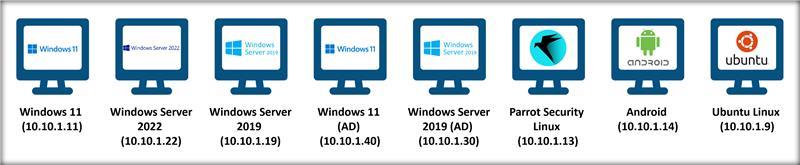
The detailed information on the machines is given below:
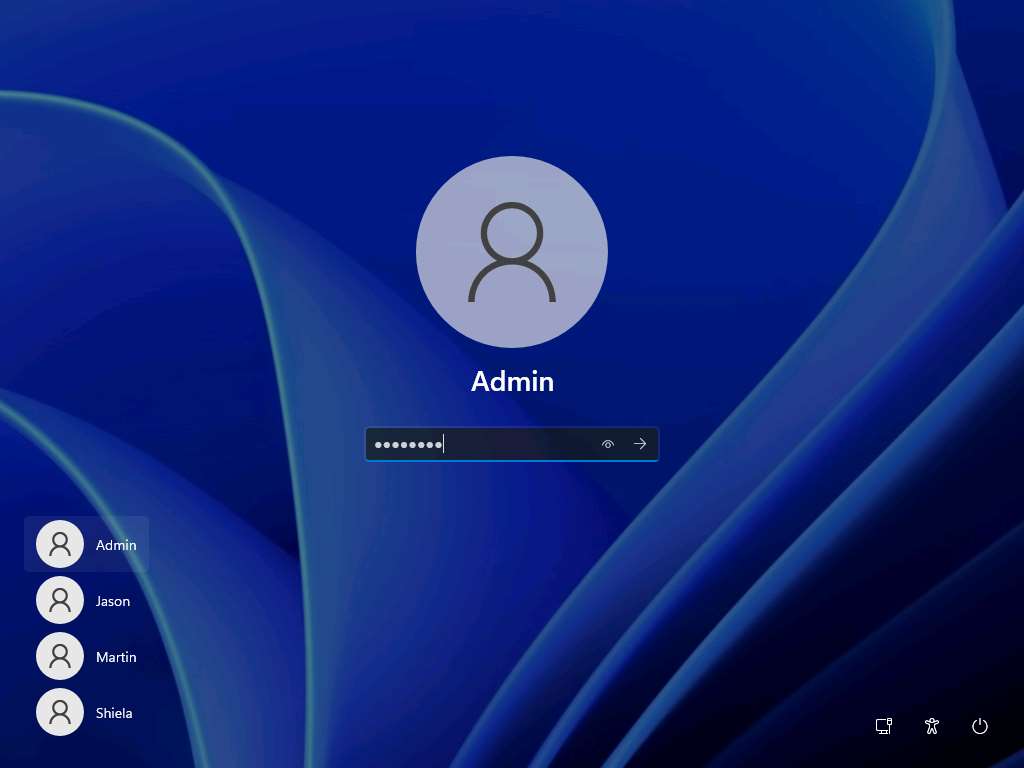
Windows 11
- Username: Admin
- Password: Pa$$w0rd
- Machine name: Windows11
User Accounts
| Username | Password | Account Type |
|---|---|---|
| Martin | apple | Standard |
| Jason | qwerty | Administrator |
| Shiela | test | Standard |
Network Settings
- IP address: 10.10.1.11
- Subnet mask: 255.255.255.0
- Default gateway: 10.10.1.2
- Preferred DNS server: 8.8.8.8
Additional things to remember…
-
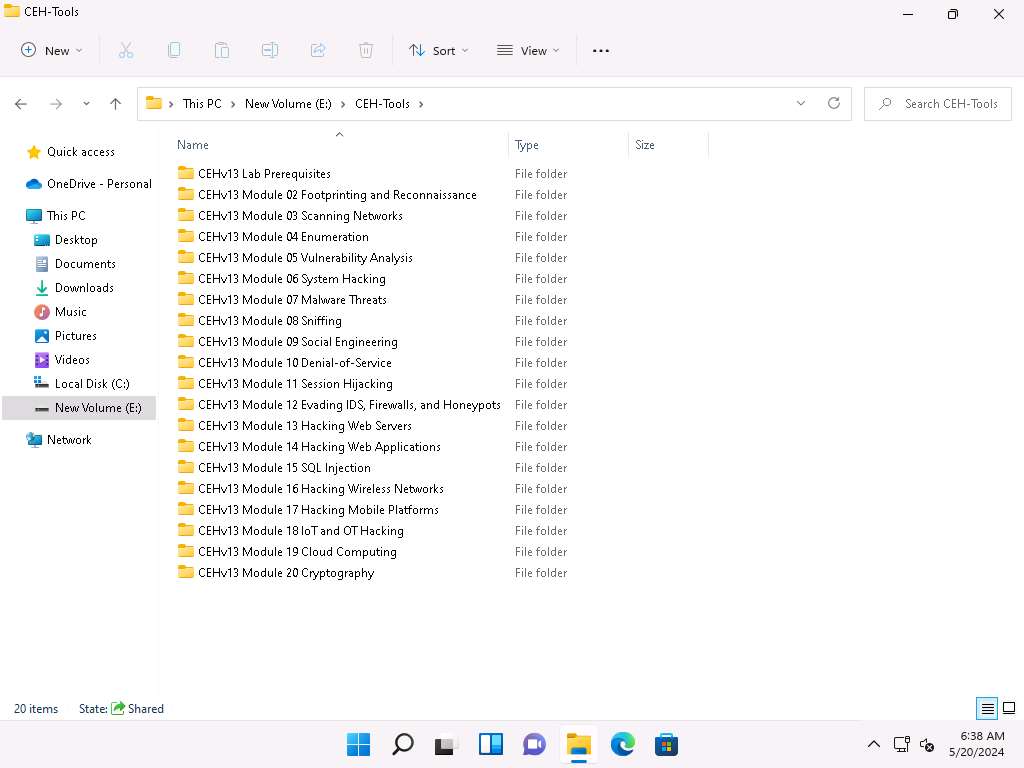
You can find CEHv13 tool at E:\CEH-Tools location, as shown in the below screenshot
-
Ensure that the Windows Defender Firewall is Off
-
Ensure that Remote Desktop Connection is enabled
-
Ensure that the password complexity is not set
Windows Server 2022
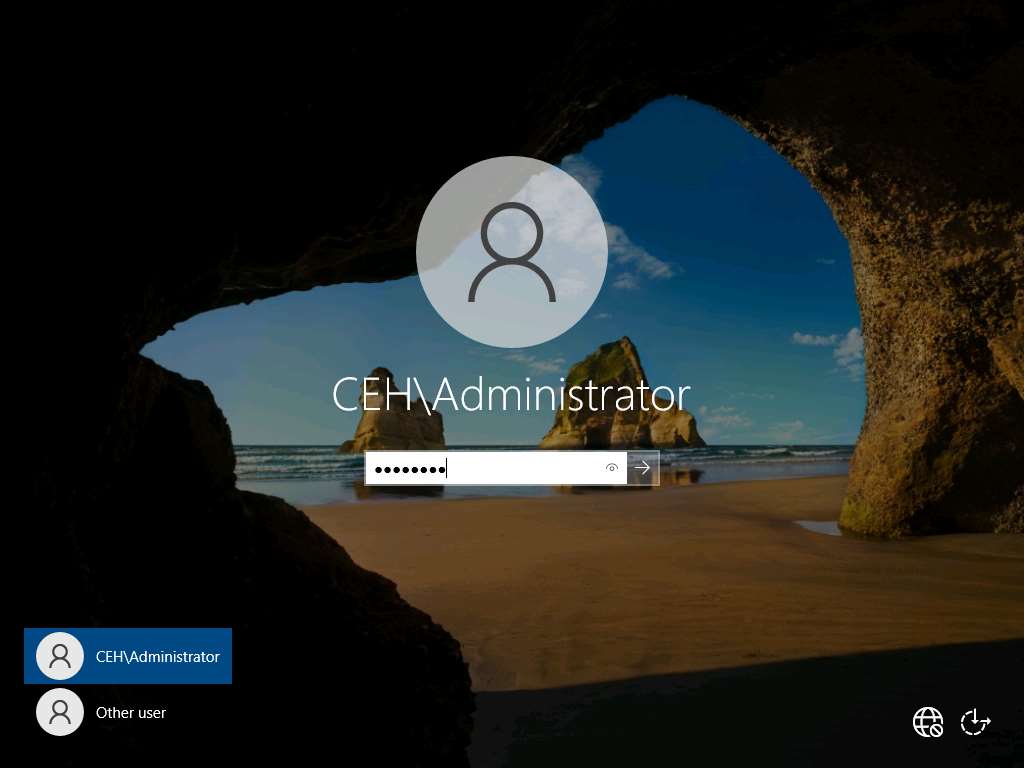
- Username: CEH\Administrator
- Password: Pa$$w0rd
- Machine name: Server2022
- Domain name: CEH.com
Active Directory Users
| Username | Password | Account Type |
|---|---|---|
| Jason M. | qwerty | Administrator |
| Martin J. | apple | Standard |
| Shiela D. | test | Standard |
| Mark | cupcake | Standard |
| SQL_srv | batman | Administrator |
| Joshua | cupcake | Standard |
| DC-Admin | advance! | Administrator |
Network Settings
- IP address: 10.10.1.22
- Subnet mask: 255.255.255.0
- Default gateway: 10.10.1.2
- Preferred DNS server: 8.8.8.8
Additional things to remember…
-
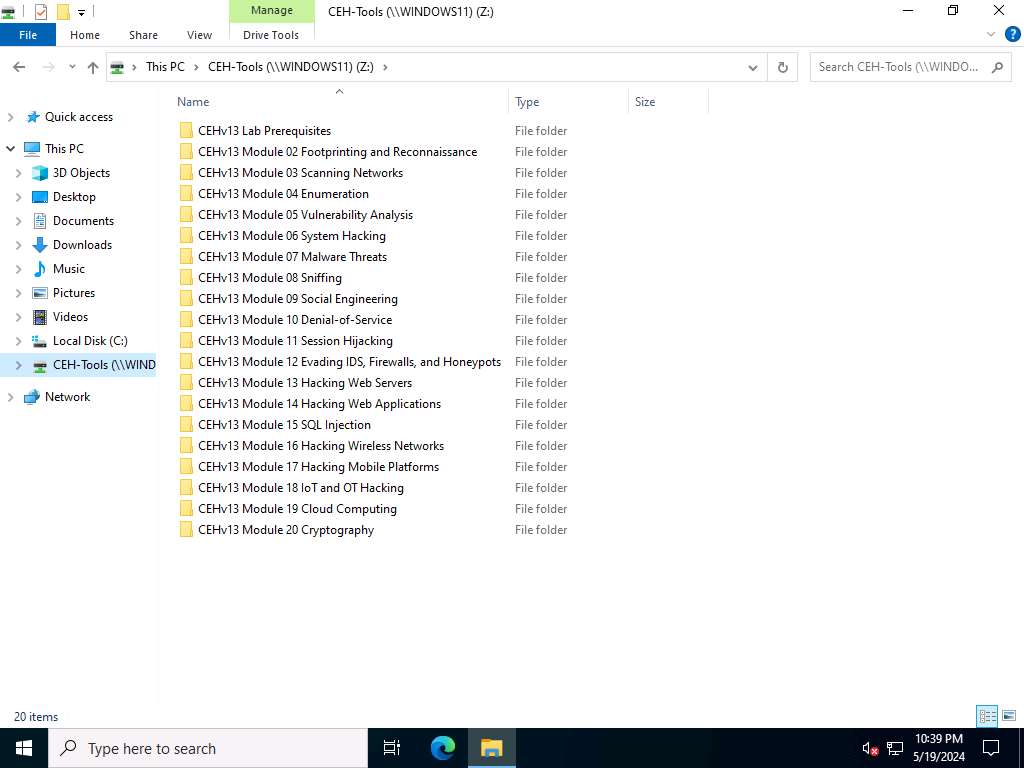
You can find CEHv13 tool in the Z:\ drive, as shown in the below screenshot
-
Ensure that the Windows Defender Firewall is Off
-
Ensure that the Remote Desktop Connection is enabled
-
Ensure that the password complexity is not set
-
Configured WampServer and a WordPress Website (http://localhost:8080/DVWA/login.php with credentials admin/password)
Windows Server 2019
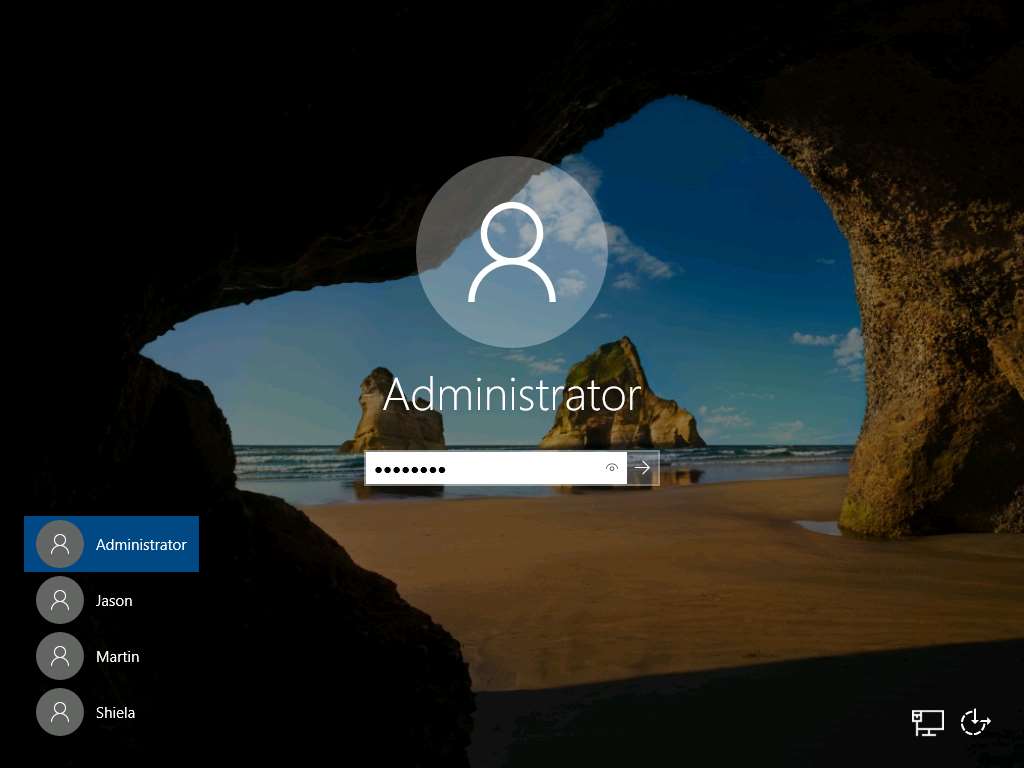
- Username: Administrator
- Password: Pa$$w0rd
- Machine name: Server2019
User Accounts
| Username | Password | Account Type |
|---|---|---|
| Martin | apple | Standard |
| Jason | qwerty | Administrator |
| Shiela | test | Standard |
Network Settings
- IP address: 10.10.1.19
- Subnet mask: 255.255.255.0
- Default gateway: 10.10.1.2
- Preferred DNS server: 8.8.8.8
Additional things to remember…
-
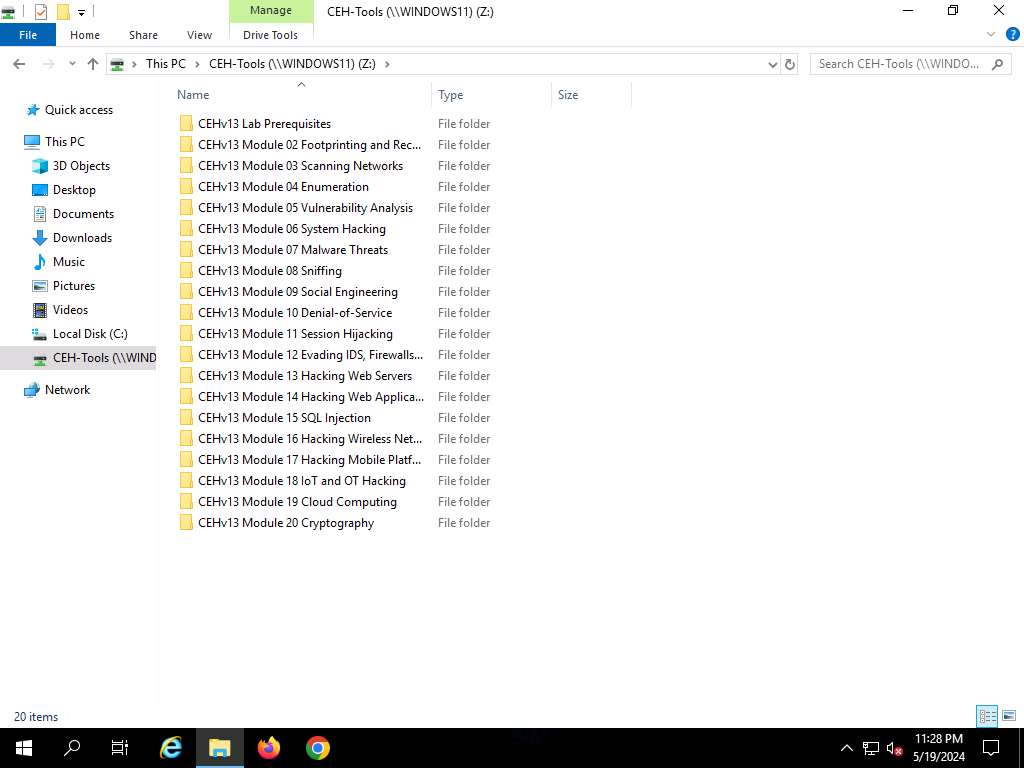
You can find CEHv13 tool in the Z:\ drive, as shown in the below screenshot
-
Ensure that the Windows Defender Firewall is Off
-
Ensure that Remote Desktop Connection is enabled
-
Ensure that the password complexity is not set
-
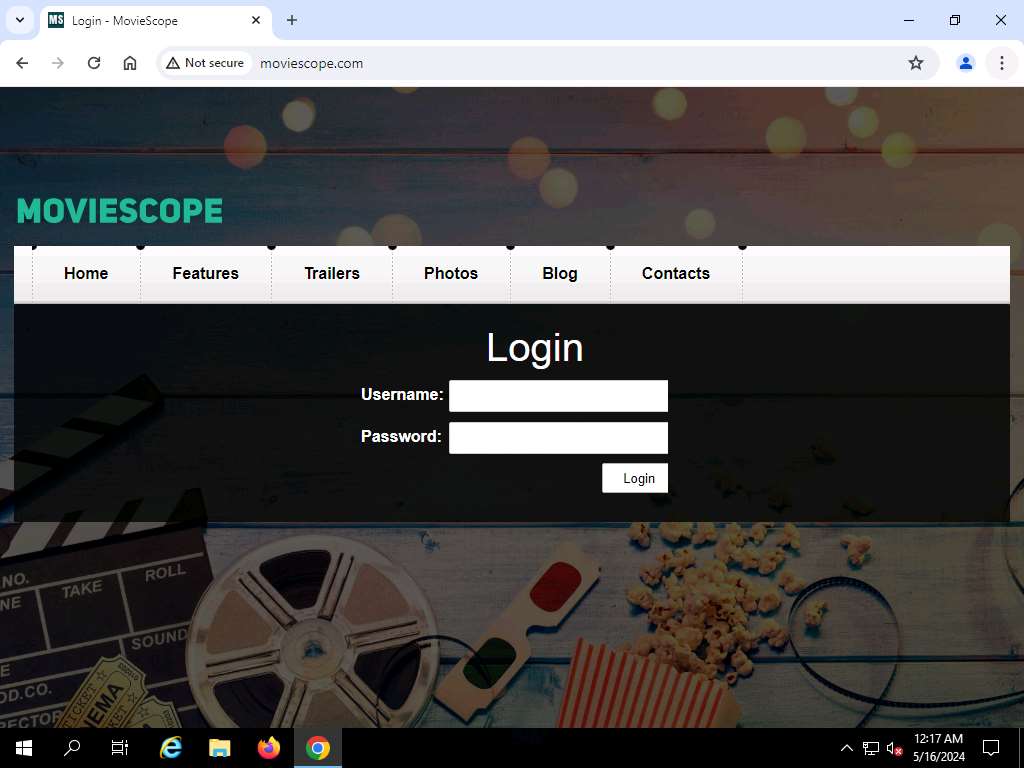
Websites configured:
http://www.goodshopping.com

http://www.moviescope.com
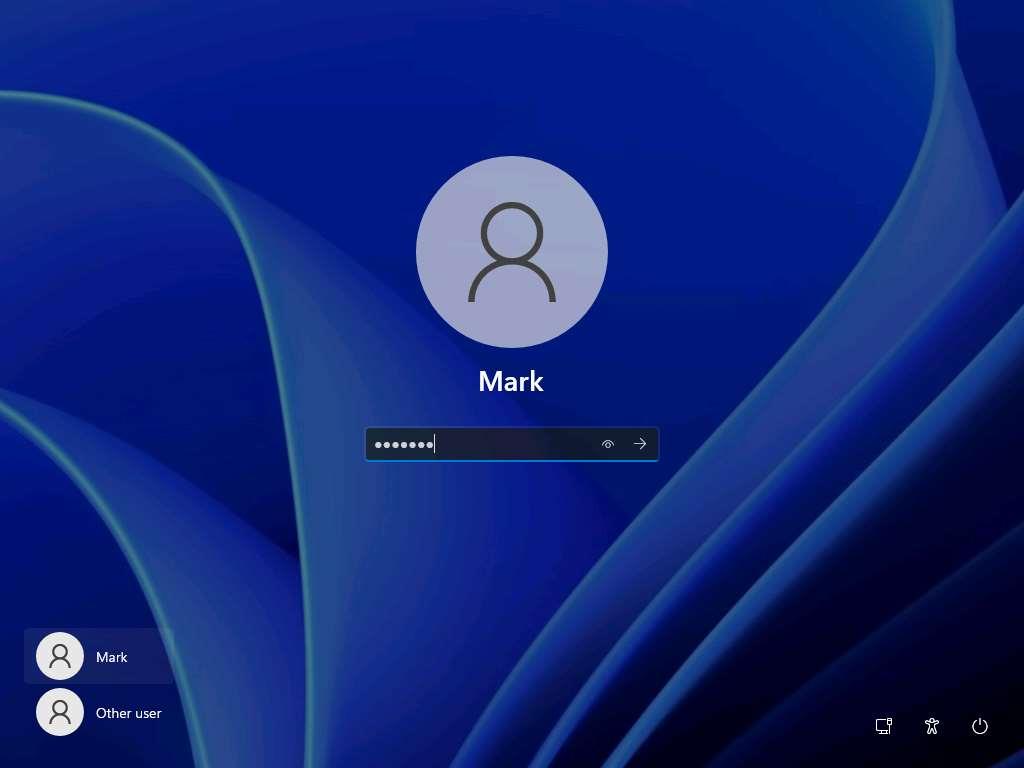
Windows 11 (AD)
- Username: Mark
- Password: cupcake
- Machine name: Windows11
Network Settings
- IP address: 10.10.1.40
- Subnet mask: 255.255.255.0
- Default gateway: 10.10.1.2
- Preferred DNS server: 10.10.1.22
Additional things to remember…
- Ensure that the Windows Defender Firewall is Off
- Ensure that Remote Desktop Connection is enabled
- Ensure that the password complexity is not set
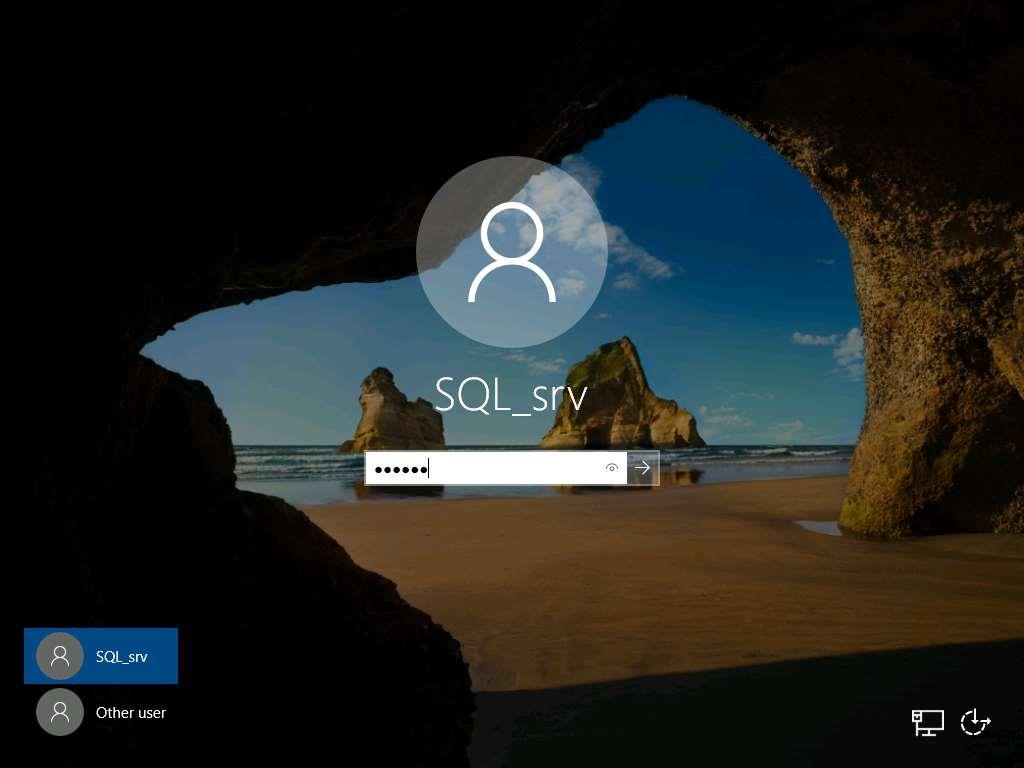
Windows Server 2019 (AD)
- Username: SQL_srv
- Password: batman
- Machine name: Server2019
Network Settings
- IP address: 10.10.1.30
- Subnet mask: 255.255.255.0
- Default gateway: 10.10.1.2
- Preferred DNS server: 10.10.1.22
Additional things to remember…
- Ensure that the Windows Defender Firewall is Off
- Ensure that Remote Desktop Connection is enabled
- Ensure that the password complexity is not set
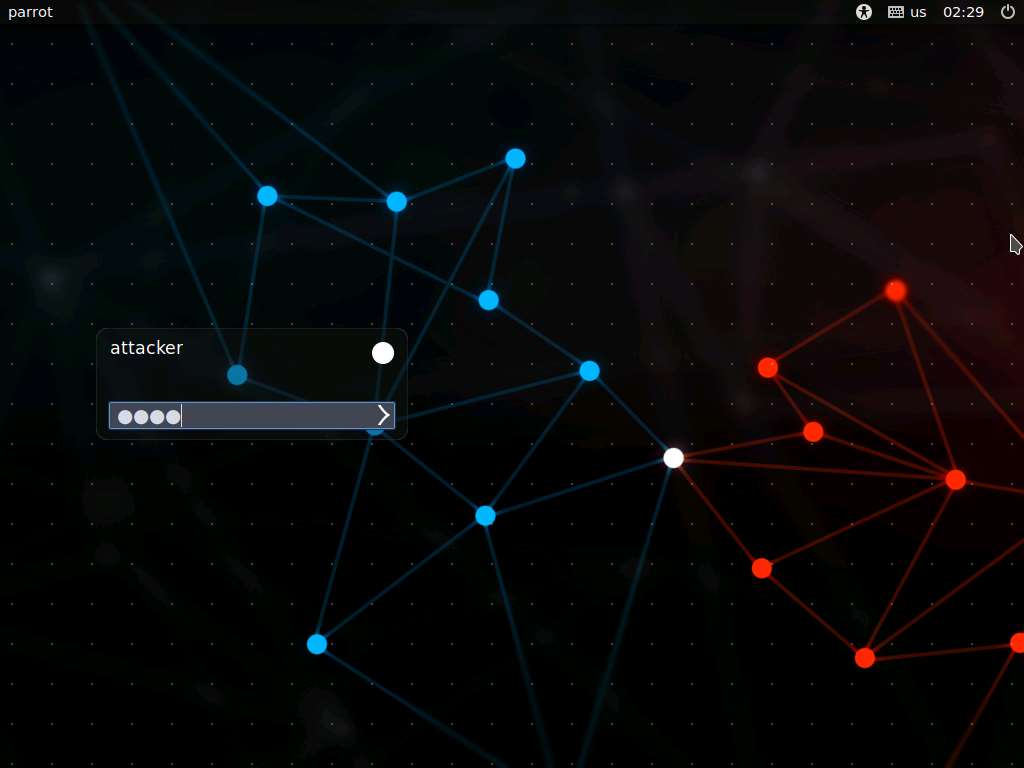
Parrot Security
- Username: attacker
- Password: toor
- Machine name: parrot
Network Settings
- IP address: 10.10.1.13
- Subnet mask: 255.255.255.0
- Default gateway: 10.10.1.2
- DNS server: 8.8.8.8
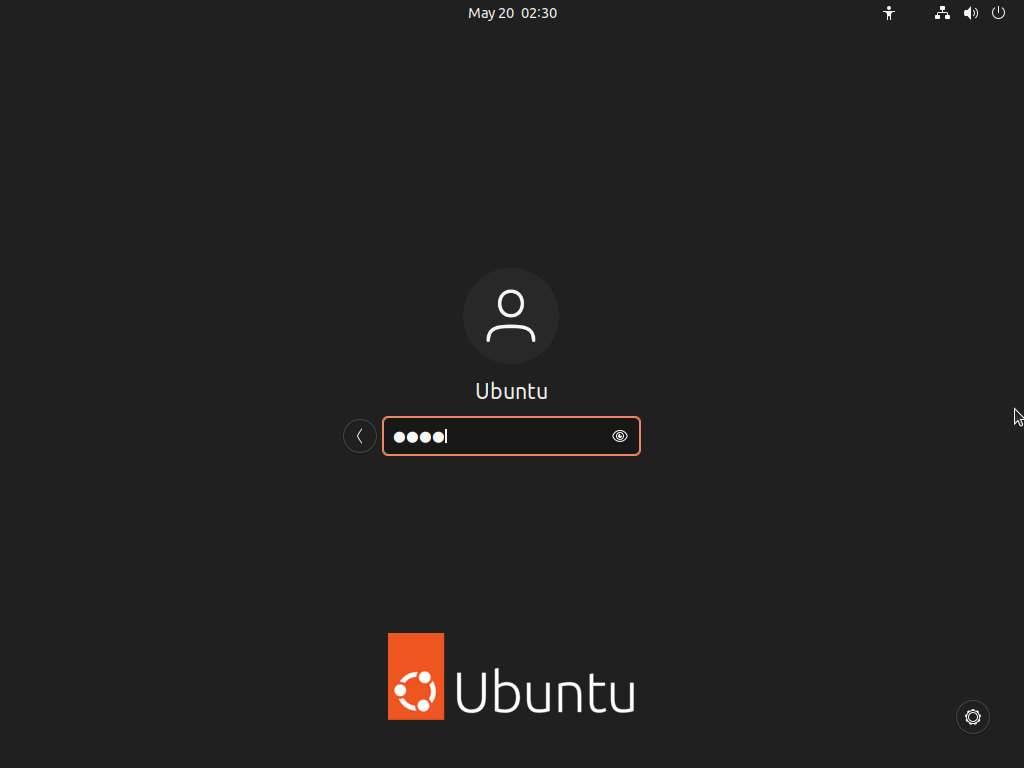
Ubuntu
- Username: Ubuntu
- Password: toor
- Machine name: ubuntu
Network Settings
- IP address: 10.10.1.9
- Subnet mask: 255.255.255.0
- Default gateway: 10.10.1.2
- DNS server: 8.8.8.8
Android
- Username: nil
- Password: nil

Network Settings
- IP address: 10.10.1.14
- Subnet mask: 255.255.255.0
- Default gateway: 10.10.1.2
- DNS server: 8.8.8.8
🤖 How to Obtain Your AI Activation Key
Before starting the AI-powered labs, you'll need to activate your AI Assistant by obtaining an AI Activation Key from your learning platform.
This guide explains why an activation key is required and how to access it quickly.
🌐 Real-World Learning Experience
At EC-Council, our mission is simple:
Provide a safe, realistic, and hands-on cybersecurity learning environment that prepares learners for real-world careers.
Unlike simulated training platforms, CEH Labs leverage genuine operating systems, professional security tools, and live technologies used by cybersecurity professionals worldwide.
Our goal is to bridge the gap between classroom theory and practical experience, allowing you to develop skills that translate directly into the workplace.
☁️ Third-Party Cloud Services
To deliver an authentic learning experience, some CEH labs integrate with real-world cloud platforms and Internet-connected services, including:
-
☁️ Amazon Web Services (AWS)
-
☁️ Microsoft Azure
-
☁️ Google Cloud Platform (GCP)
-
🌍 Other public cloud and online services
Many of these providers offer:
-
✅ Free Tier Accounts
-
🎓 Education or Student Programs
-
🎁 Promotional Credits
-
🆓 Open-source software and community editions
Certain exercises may require you to create an account and accept the provider's terms and conditions before accessing their services.
💳 Important Notice About Cloud Costs
EC-Council will never request your payment information during your training.
However, because some labs interact with third-party cloud providers, please be aware that:
-
✅ Most CEH cloud exercises can be completed using free educational resources.
-
✅ Additional costs are not expected unless a lab specifically states otherwise.
-
⚠️ If you voluntarily upgrade your account or consume services beyond the free tier, you may incur charges directly from the cloud provider.
Ultimately, you are responsible for managing your own cloud account and monitoring any usage associated with third-party services.
📖 Alternative Learning Option
If you prefer not to create accounts on public cloud platforms—or if you are unable to obtain an educational account—you can still complete the course successfully.
EC-Council provides comprehensive Lab Guides containing:
-
📷 Step-by-step screenshots
-
📝 Detailed configuration instructions
-
🔧 Practical walkthroughs
-
💡 Explanations of every major concept
Although you won't perform the live cloud configuration yourself, you'll still gain a thorough understanding of the technologies, workflows, and cybersecurity techniques required for certification and professional practice.
🤖 AI-Powered Ethical Hacking with ShellGPT
The latest Certified Ethical Hacker (CEH) labs include an innovative AI assistant called ShellGPT.
Powered by advanced Artificial Intelligence and Natural Language Processing (NLP), ShellGPT allows you to interact with command-line environments using natural language.
With ShellGPT, you can:
-
🤖 Generate Linux and Windows commands instantly
-
🔍 Perform reconnaissance and information gathering
-
⚔️ Assist with penetration testing activities
-
🧩 Analyze cybersecurity tasks more efficiently
-
🚀 Accelerate learning while understanding each command
Rather than replacing your learning, ShellGPT acts as an intelligent assistant—helping you understand commands, troubleshoot issues, and improve productivity throughout the CEH labs.
🔑 Download Your AI Activation Key
To begin using ShellGPT and other AI-powered features, you must first obtain your AI Activation Key.
👉 Please select the appropriate option below based on your learning platform and follow the instructions to retrieve your activation key.
Once activated, you'll be ready to experience the next generation of AI-assisted ethical hacking.
ASPEN Portal - EC-Council Accredited Training Center (ATC) Students
Visit the ASPEN platform (https://aspen.eccouncil.org) and sign up or log in to your existing account.
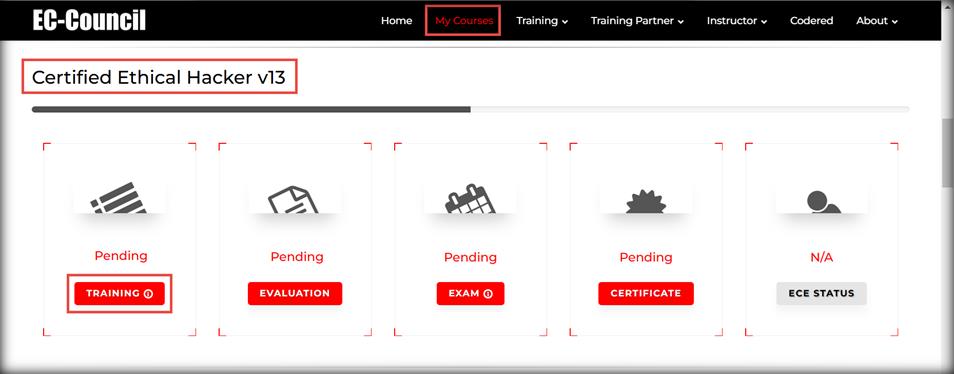
Once logged in, click the My Courses tab at the top, and navigate to the My Courses section. You will see your courses listed under the My Courses section.
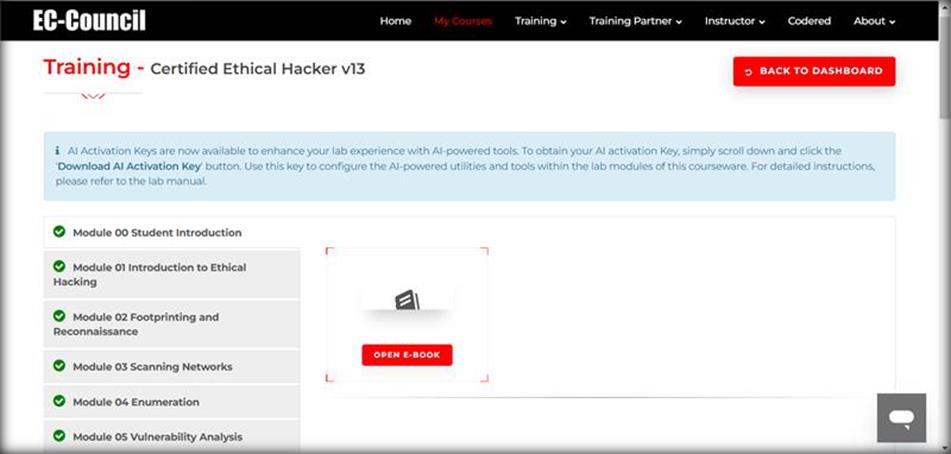
Under the My Courses section, go to the Certified Ethical Hacker v13 course and click the TRAINING button under the course to access the e-Courseware, Lab Manuals, Tools, and AI Activation Key in the Training area.
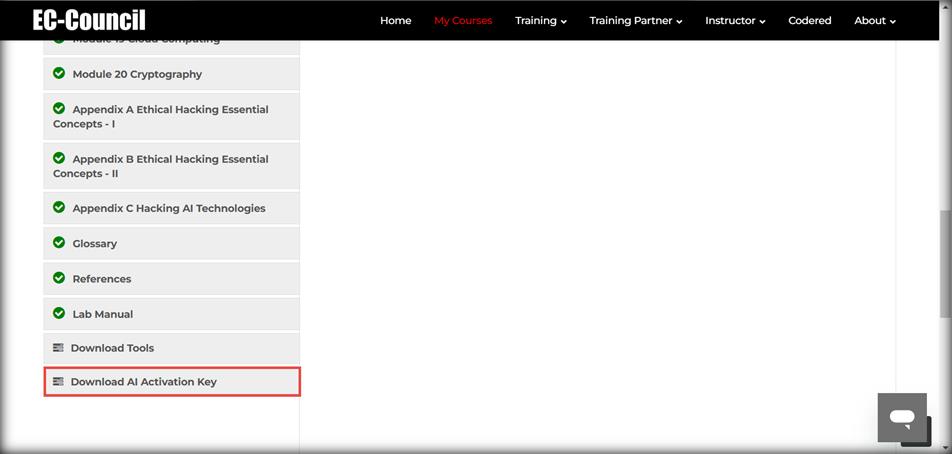
On the Training page, scroll down and click Download AI Activation Key from the left pane.
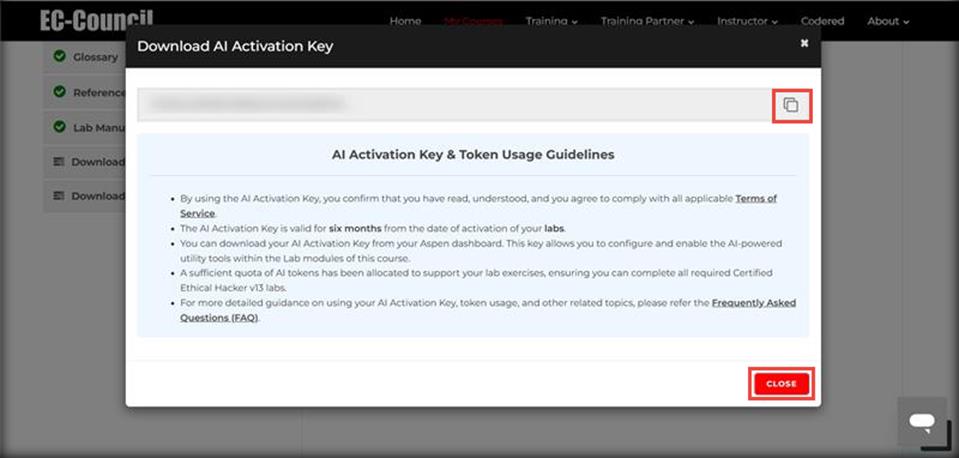
Download AI Activation Key pop-up appears, click the Copy button to copy the key.
Read the instructions carefully under AI Key & Token Usage Guidelines and save this key in a notepad. We will be using this key in each module for setting up ShellGPT.
Note: You can login to your ASPEN platform within the Parrot security VM and copy the key.
ASPEN Portal - EC-Council Academia Students
Hello Students,
As of August 1st, 2025, EC Council Academia Series lab resources for this course include an AI Activation key. This is available within the ASPEN portal post-redemption of an ASPEN code. The following instructions will guide you to creating an ASPEN account, redeeming your ASPEN code, and locating and activating your AI Activation key for use within this lab.
Account Registration
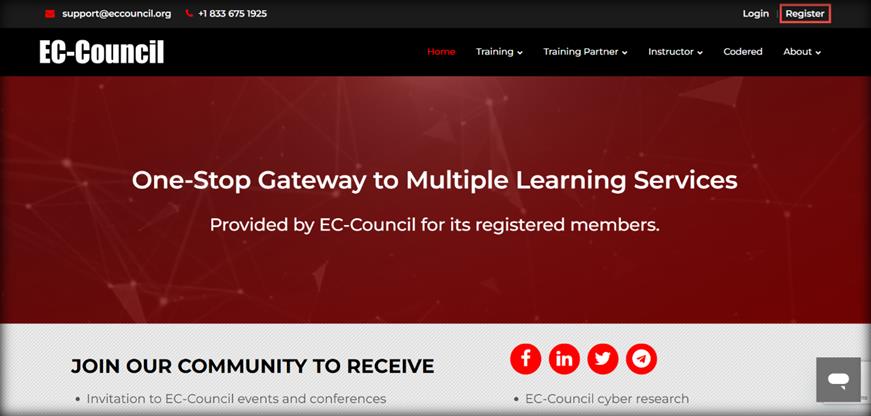
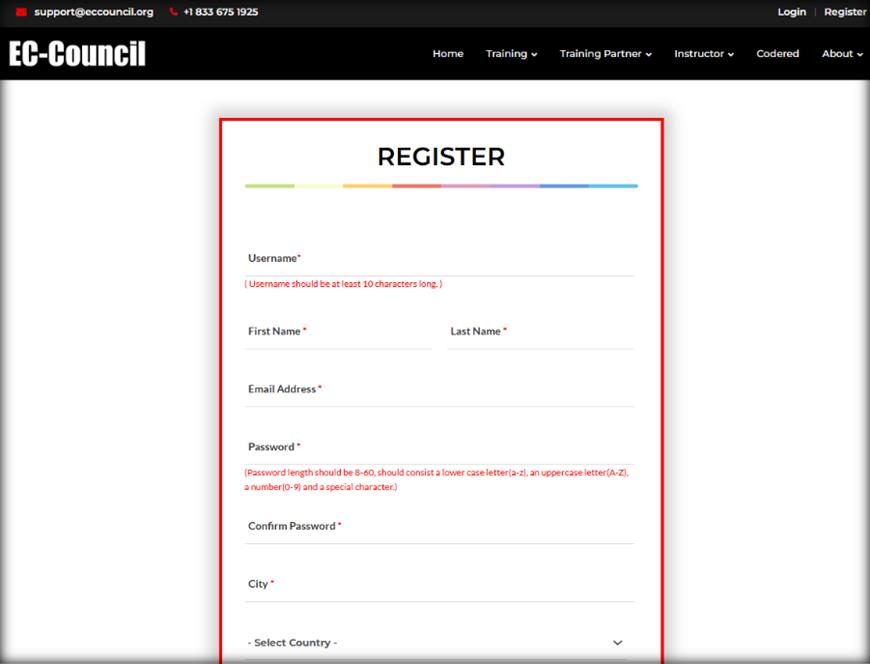
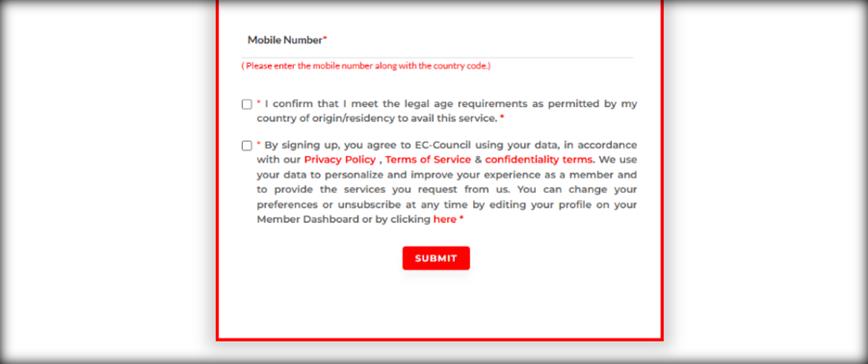
Go to https://aspen.eccouncil.org and create your account prior to redeeming your Subscription Code. If you already have an ASPEN account, please proceed to STEP 3. Click 'Register' to fill out the registration form. Once all required fields are entered properly, click on the 'SUBMIT' button.
Verifying Your ASPEN Account
After registering, you will receive an email confirmation that requires you to verify your account. Follow the instructions in the email to validate and activate your EC-Council ASPEN account.
Log In and Navigate to My Courses
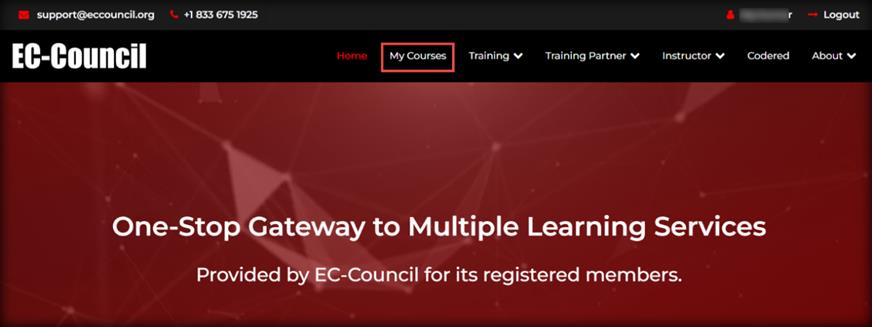
Log in to your account with your username and password. Click on the 'My Courses' tab at the top of the page.
Enter Your Subscription Code
Click on the 'SUBMIT SUBSCRIPTION/DASHBOARD CODE' button at the top right-hand side of the screen.
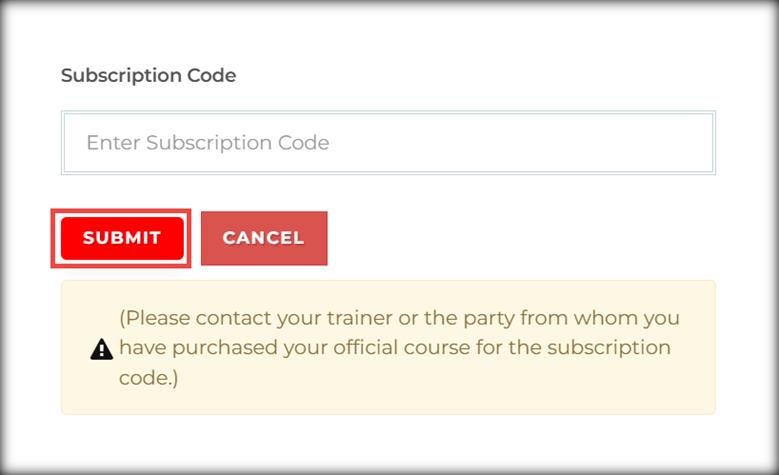
Enter your subscription code in the 'Enter Subscription Code' field and click the 'SUBMIT' button. You will see your courses listed under the My Courses section.
Download Your AI Activation Key
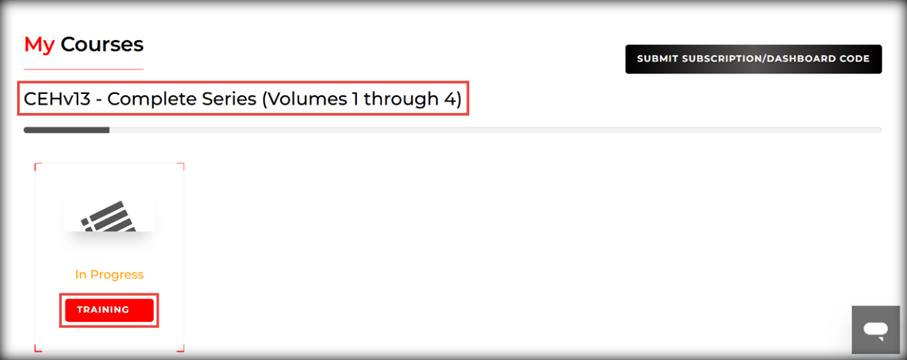
Under the My Courses section, go to the CEHv13 - Complete Series (Volumes 1 through 4) course and click the TRAINING button under the course to access the AI Activation Key in the Training area.
On the Training page, scroll down and click Download AI Activation Key from the left pane.
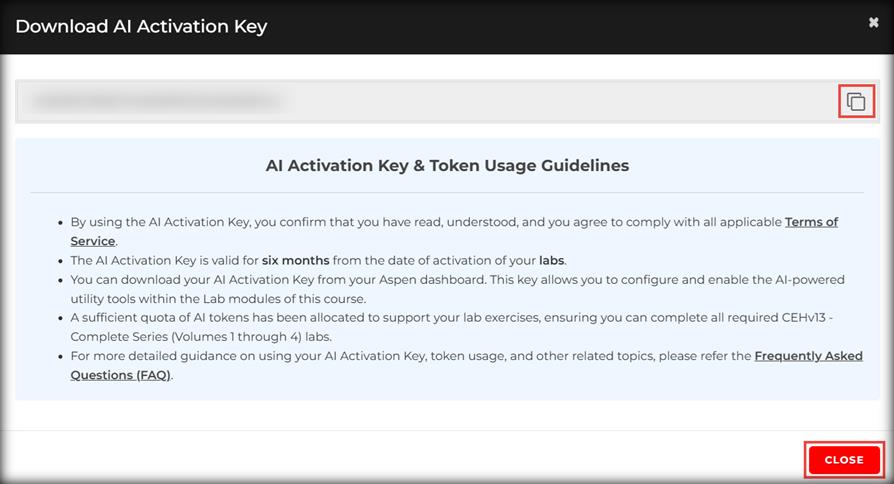
Download AI Activation Key pop-up appears, click the Copy button to copy the key.
Read the instructions carefully under AI Activation Key & Token Usage Guidelines and save this key in a notepad. We will be using this key in each module for setting up ShellGPT.
Additional Information: For additional support, please email aspensupport@eccouncil.org. Note: You can login to your ASPEN platform within the Parrot security VM and copy the key.

iClass Portal
Visit the iClass platform (https://iclass.eccouncil.org) and sign up or log in to your existing account.
Once logged in, click the Dashboard from the right pane, and navigate to the REGISTERED COURSES section. You will see your courses listed under the REGISTERED COURSES section.
Under the REGISTERED COURSES section, click the Certified Ethical Hacker (CEHv13) course to access the CEHv13 course content, such as e-Courseware, Tools, and AI Activation Key in the Course Content area.
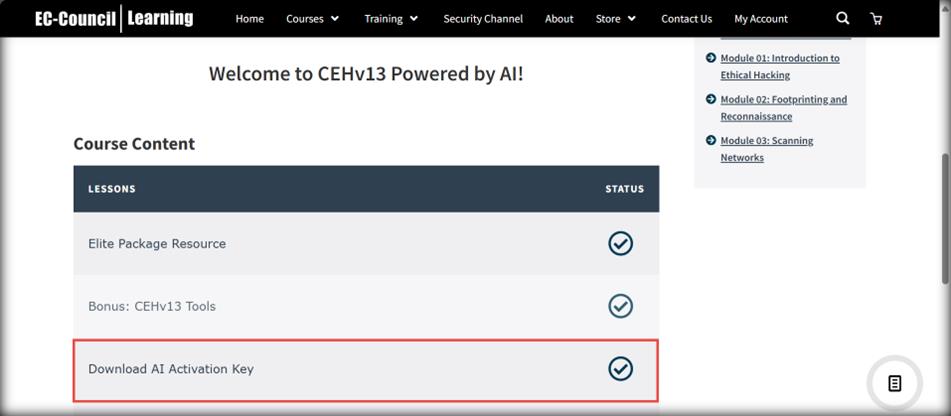
On the Course Content page, click Download AI Activation Key available under the LESSONS.
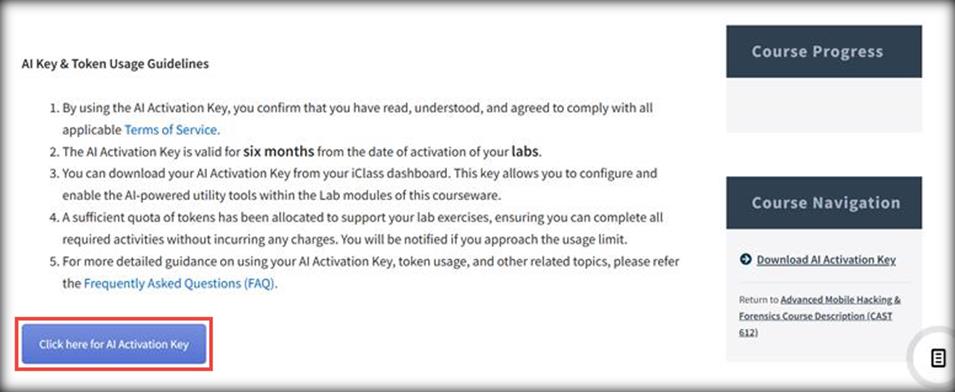
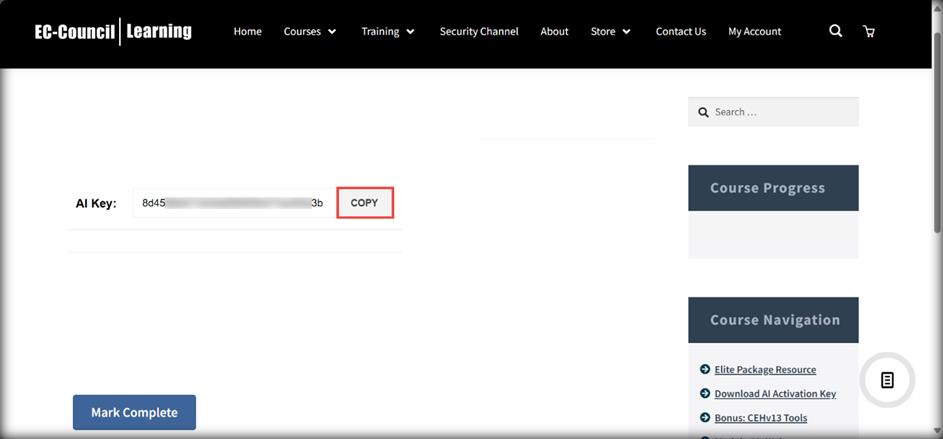
Download AI Activation Key page appears. Read the instructions carefully under AI Key & Token Usage Guidelines and click the Click here for AI Activation Key button.
Click the COPY button to copy the key and save this key in a notepad. We will be using this key in each module for setting up ShellGPT.
Note: You can login to your iclass platform within the Parrot security VM and copy the key.
EC-Council Learning (ECL) Portal
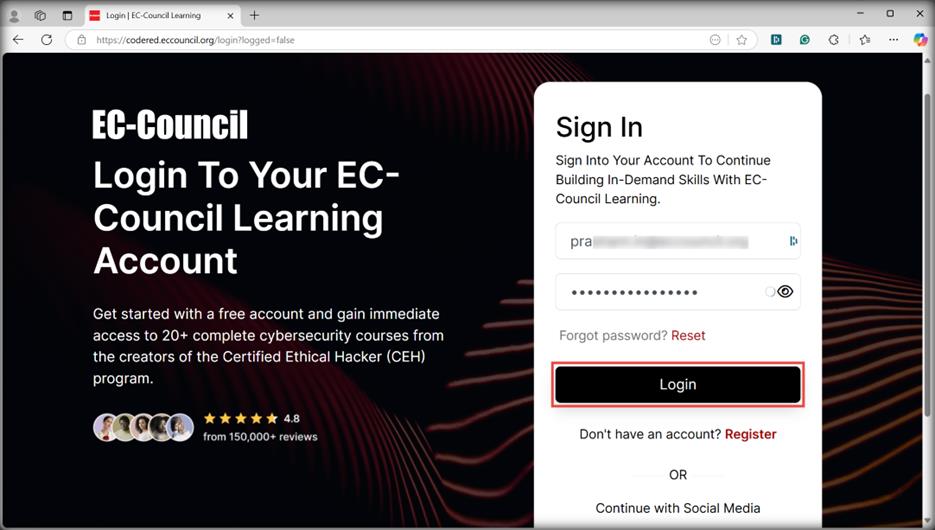
Visit the EC-Council Learning (ECL) platform (https://codered.eccouncil.org) and register or log in to your existing account.
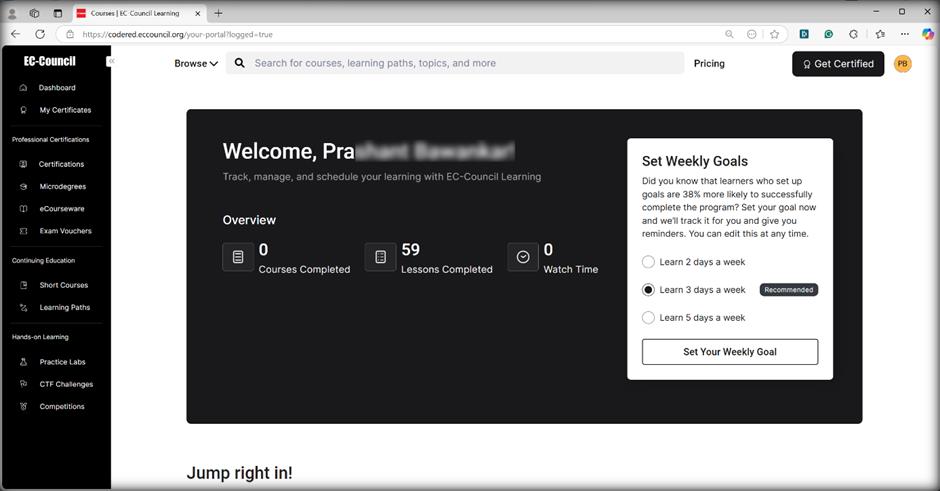
After logging in, you will be directed to the EC-Council Learning Dashboard.
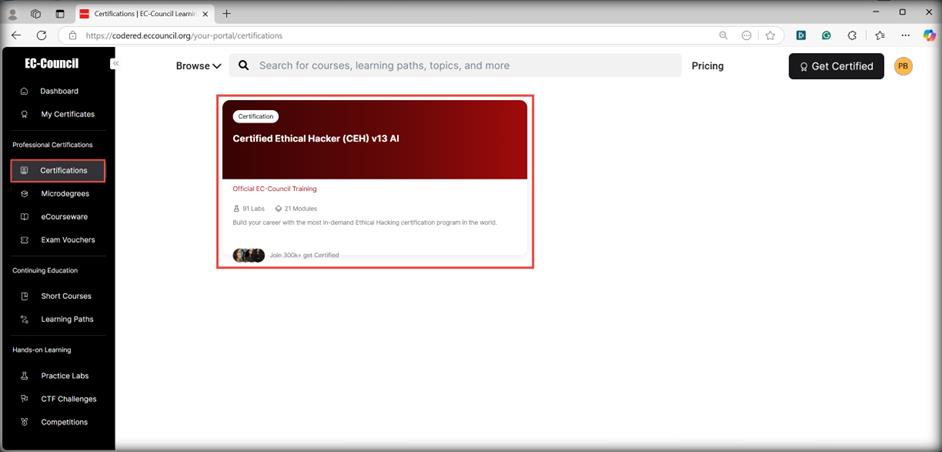
In the left pane, navigate to the Professional Certifications section and click on the Certifications tab to view all your enrolled courses.
From the right pane, click the Certified Ethical Hacker (CEH) v13 AI certification program to access its product page.
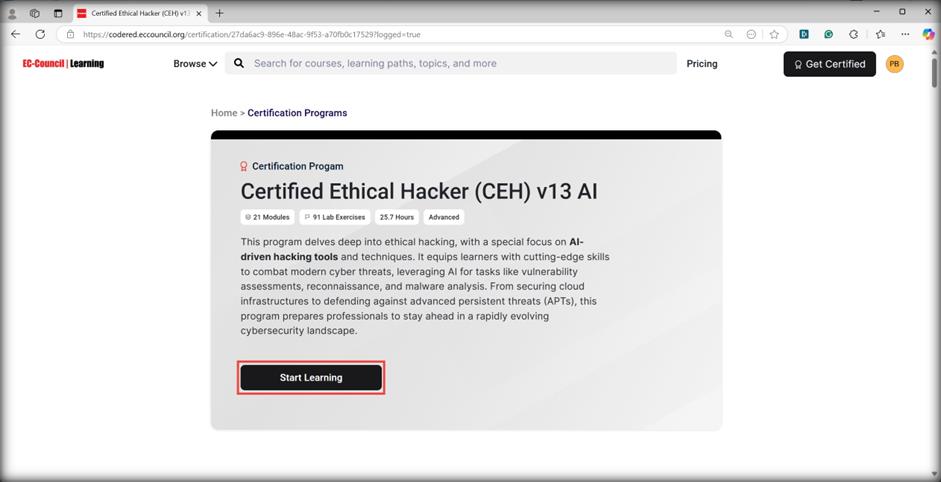
On the Certification Programs page, click the Start Learning button under the Certified Ethical Hacker (CEH) v13 AI certification program to begin the CEHv13 course.
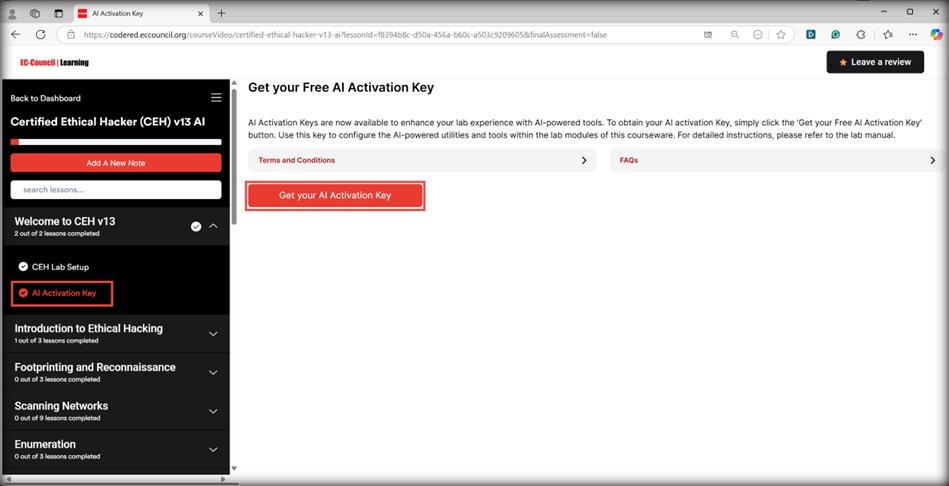
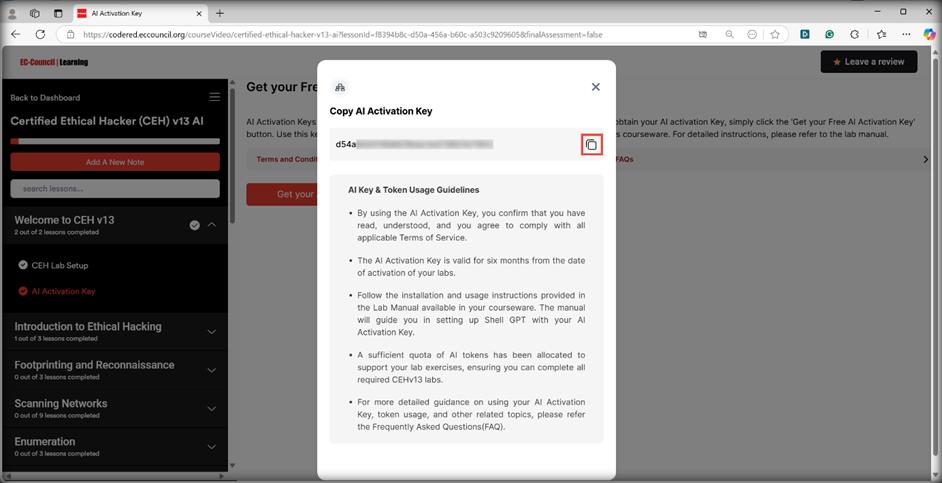
The CEHv13 course includes video lectures, an eBook, virtual labs, and an AI Activation Key. To access the key, on the Certified Ethical Hacker (CEH) v13 AI certification page, expand the Welcome to CEH v13 section from the left pane, and click AI Activation Key.
The Get your Free AI Activation Key page will appear. Carefully read the instructions under the Terms and Conditions tab, then click the Get your AI Activation Key button.
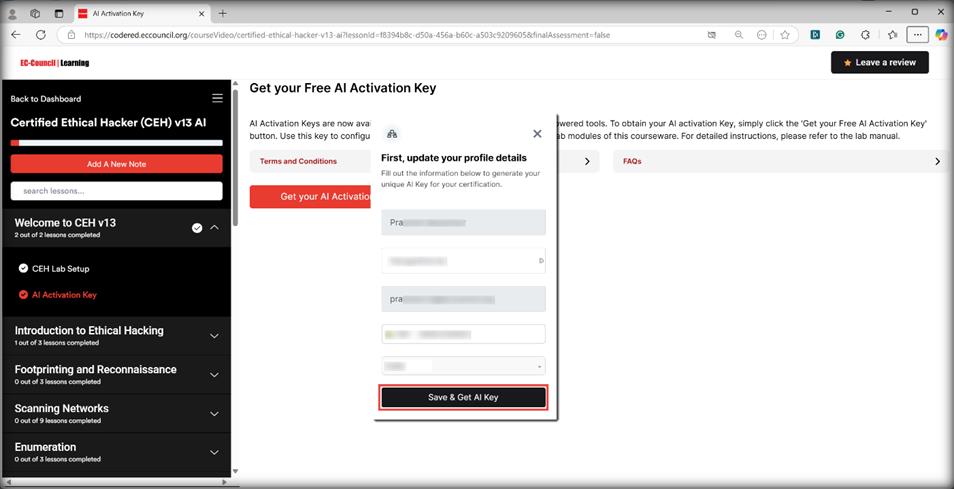
If your profile is not up to date, a pop-up window will appear prompting you to update it. Enter your details accurately and click the Save & Get AI Key button to receive your AI Activation Key.
The Copy AI Activation Key pop-up window appears. Read the instructions carefully under AI Key & Token Usage Guidelines and click the COPY button to copy the key and save the copied key in a notepad. We will be using this key in each module for setting up ShellGPT.
Note: You can login to your ECL platform within the Parrot security VM and copy the key.
ECCU LMS
You will receive the AI Activation Key at your registered email address. Please look out for an email from your ECCU advisor.
Note: You can login to your ECCU LMS platform within the Parrot security VM and copy the key.
Đã chèn. Vì đây là điểm bán mạnh nhất, tôi đưa nó lên đầu dòng thay vì kẹp cuối.
Get CEH v13 certified with Security365
An official EC-Council partner. Pick the option that matches where you are:
- CEH v13 Elite Bundle (Global) — includes one free retake. RPS exam voucher (online proctored) + LMS training + iLabs. $949 (reg. $1,199)
- CEH v13 RPS Exam Voucher + eCourseware + Video — voucher plus official courseware. $749 (reg. $1,099)
- CEH v13 AI Complete Learning Bundle — official labs, training videos, mock exam. $249 (reg. $499)
- CEH v13 AI Hands-On Labs — official iLabs + lab guide videos. $189 (reg. $199)
0 comments